
Canonical Tag in SEO: Complete Guide, Examples & Best Practices
Search engines try to show the most relevant and useful pages to users. However, many websites have content that is identical or repeated across multiple URLs. The search engines can get confused, and rankings can be affected.
This is the point where Canonical Tag in SEO is relevant. It assists search engines in recognising which version of a page is the main one. With its help, the owners of websites will be able to prevent the problem of duplicate content and enhance their performance in terms of SEO.
Duplicate content in modern SEO is a critical issue since search engines favour clean and structured sites. A properly implemented canonical tag helps maintain this clarity & ensures that your website sends the right signals to search engines.
What is Canonical Tag
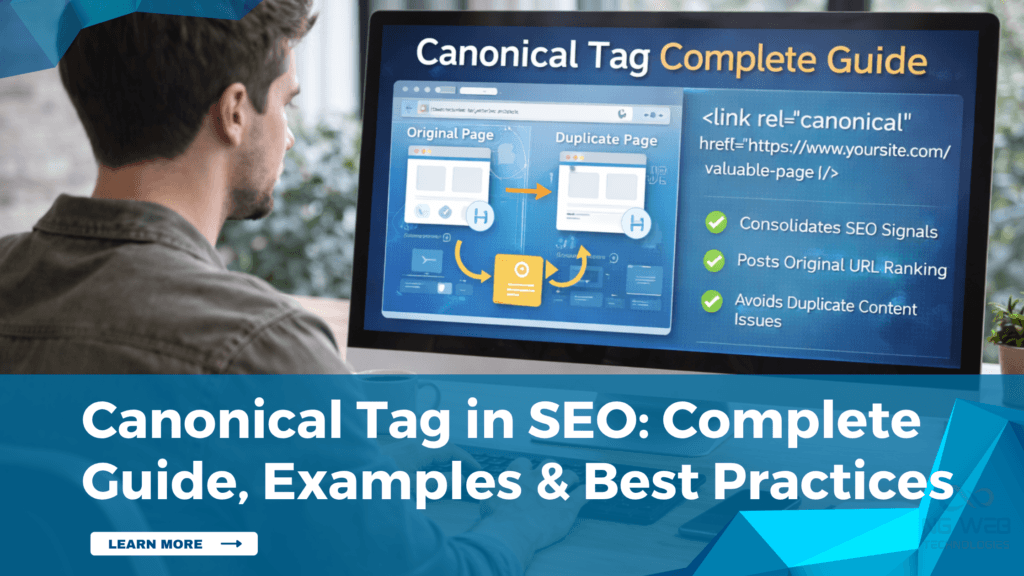
In order to know its significance, one needs to know What is Canonical Tag. A canonical tag is an HTML code that indicates to search engines which URL is the primary version of a page.
When multiple pages contain similar content, it assists search engines in selecting the right page in search results and also avoids splitting ranking signals. It is also known as a Canonical Link Tag and appears in the head section of a webpage.
Proper use will aid in avoiding confusion and make the contents more visible.
Why Canonical Tag is Important in SEO
Duplicate content is a common issue on most websites. It may occur because of filters, URL parameters of pagination or multiple versions of the same page.
A canonical tag can be used to address this issue by directing search engines to the right page. It also ensures that the SEO value, such as authority and backlinks, is not shared across multiple URLs.
Key Benefits
- Avoids duplication problems
- Consolidates ranking signals
- Improves crawl efficiency
- Helps search engines understand page priority
When applied correctly, the Canonical Tag in SEO ensures better visibility and a well-organised structure of your site.
It also improves user experience, which is a major benefit. When search engines show the correct version of a page, users are more likely to find accurate & relevant information.
How Canonical Tag Works
A canonical tag informs a search engine about the URL that should be considered the original one. Although there may be several pages involved, the tag can assist in merging the SEO value of the pages into a single page.
To take an example, when the same content can be accessed by using various URLs, the canonical tag will point all variations to a preferred URL. This facilitates easy ranking of pages by search engines.
This can be better understood with a simple Canonical Tag Example.
Example
<link rel=”canonical” href=”https://www.example.com/preferred-page/” />
This Canonical Link Tag tells search engines that this URL is the preferred version and should be considered for indexing and ranking.
Canonical Tag vs 301 Redirect
Aspect | Canonical Tag | 301 Redirect |
Purpose | Indicates to search engines the preferred version of a page. | Directs people and search engines to a different URL |
User Experience | All the versions of the page remain accessible to users. | The users are automatically redirected to a different page. |
SEO Impact | Combines ranking signals into one main page | Moves SEO value to the new page. |
Page Availability | Maintains several pages active | Old page is no longer available |
Usage | Used in the case of duplicate or other similar content. | Used to indicate a page that has been permanently moved or deleted. |
Canonical Tag Best Practices
It is crucial to use canonical tags properly to prevent SEO problems. Use of Canonical Tag Best Practices leads to improved outcomes.
Understanding the distinction between Canonical Tag vs 301 Redirect is also relevant to ensure that the right approach is applied in various circumstances.
1. Use Self-Referencing Canonical Tags
There should be a canonical tag pointing to each page. Search engines can more easily identify the original version and confirm that it is the preferred page as a result.
Tips:
- Add canonical tags on all important pages.
- Ensure the URL is correct & consistent.
Case Study
A content website in New York had multiple versions of the same articles due to URL variations. Different versions were being indexed by search engines, which weakened the ranking.
After implementing self-referencing canonical tags, the website was able to signal the correct pages. In a few weeks, duplicate indexing decreased, and rankings stabilised. This simple implementation helped the website gain better control over its content & improved overall SEO performance.
2. Avoid Conflicting Signals
Canonical tags must not contradict other SEO components, such as redirects and noindex tags. Semantic signals may mislead search engines and lower efficiency.
Tips:
- Canonical and noindex should never be used on the same page.
- Ensure canonical URLs are not redirected.
Case Study
An e-learning platform in Chicago used canonical tags on pages that were also set to noindex. This created confusion for search engines.
After fixing the issue & aligning signals properly, search engines started indexing the correct pages & overall visibility improved. This explains how little technical errors can affect SEO performance and how correcting them can improve outcomes.
3. Use Absolute URLs
Always use full URLs in canonical tags instead of relative paths. This helps search engines correctly identify the main page & maintain consistency.
Tips:
- Include https & the domain in the URL.
- Keep URLs consistent across the website.
Case Study
A business website in Austin used relative URLs in canonical tags. This caused indexing inconsistencies. After switching to absolute URLs, search engines were able to understand the correct page structure & indexing improved gradually.
This modification enhanced search engine trust and clarified the structure of the website.
4. Handle Duplicate Pages Properly
Canonical tags should be used when similar pages exist due to filters or parameters. This enhances SEO effectiveness and helps search engines concentrate on the primary version.
Tips:
- Identify duplicate URLs regularly.
- Point them to the main page using canonical.
Case Study
An e-commerce website in Los Angeles had multiple filtered pages. These pages were competing with each other in search results.
The site enhanced its ranking and search visibility by employing canonical tags to redirect all variations to the primary page.
Over time, the main pages of the site started to work more productively and attract more traffic.
When to Use Canonical Tag
Similar or duplicate content in more than one URL should be encoded using canonical tags. This assists search engines in knowing which page to be prioritised and ranked appropriately.
Common situations include
- Product pages with filters or sorting options.
- Pages with URL parameters.
- Duplicate content across categories.
Canonical tags in such situations are useful to prevent confusion and enhance the overall level of SEO.
Common Mistakes to Avoid
Even canonical tags are not complicated, and they may create problems when they are not properly applied.
Common Mistakes:
- Pointing canonical to the wrong URL.
- Using multiple canonical tags on one page.
- Blocking canonical pages in robots.txt.
- Forgetting to update the canonical after website changes.
By preventing such errors, you can keep your SEO performance on track, and regular audits of your site can also assist in detecting and correcting such cases before they affect your ranking.
Key Takeaways
- A canonical tag assists search engines in determining the primary version of a page.
- Knowledge of What is Canonical Tag is significant in dealing with duplicate content.
- Using the Canonical Tag correctly in search engine optimization enhances ranking.
- Using the correct Canonical Link Tag structure ensures better indexing.
- SEO problems will be avoided by following Canonical Tag Best Practices.
Conclusion
A canonical tag is an easy-to-use but effective SEO tool that allows controlling the appearance of duplicate content and optimizing the performance of a site. It makes sure that the ranking signals are not split by directing search engines to the right page.
When used properly, the Canonical Tag in SEO helps improve crawl efficiency, indexing & overall visibility. Learning how to use it, employing appropriate strategies and using best practices can actually lead to visible improvement in the SEO outcomes.
A proper usage of canonical tags will ensure that your site will always be at the search results list and will build a strong SEO base in the long term.